
Short-form video has completely changed how podcasts grow. Instead of relying only on full-length episodes, creators are now using short clips to reach new audiences on platforms like YouTube Shorts, Instagram Reels, and TikTok.
The challenge is that podcasts are very different from typical videos. They’re long, conversation-heavy, and often don’t have obvious “cut points.” The best moments are usually hidden inside stories, insights, or emotional reactions—which makes manually finding them slow and inconsistent.
That’s where AI-powered podcast clipping comes in.
Instead of going through hours of footage, AI can analyze conversations, identify meaningful or high-impact segments, and turn them into short clips that actually make sense on their own. It understands pacing, detects strong statements, and surfaces moments that are more likely to hook viewers within the first few seconds.
This is especially important for podcasts because context matters. A good clip isn’t just short—it tells a complete mini-story. When done right, these clips don’t just get views—they drive people back to your full episode.
AI helps bridge that gap by turning long conversations into structured, engaging content built for short-form platforms.
Now let’s walk through how you can do this step by step 👇
1. Sign up for a Subscut account here
Subscut is designed specifically for turning long-form content like podcasts into short, shareable clips. Instead of manually searching for highlights, the AI scans your entire episode and identifies segments that are likely to perform well on short-form platforms.
It doesn’t just cut randomly—it looks for strong hooks, complete thoughts, and moments that can stand alone as individual pieces of content. On top of that, it automatically formats the clips for vertical viewing and adds captions to improve retention.
In most cases, you can turn a single podcast episode into multiple ready-to-post clips within minutes.
2. Upload your podcast video or paste the link

You can either upload your podcast recording directly or paste a YouTube link. Once added, Subscut processes the full episode and prepares it for clipping.
This step replaces the need to manually scrub through timelines or mark timestamps. The system analyzes everything in the background so you can focus on selecting the best outputs instead of finding them.
3. Choose your clip style
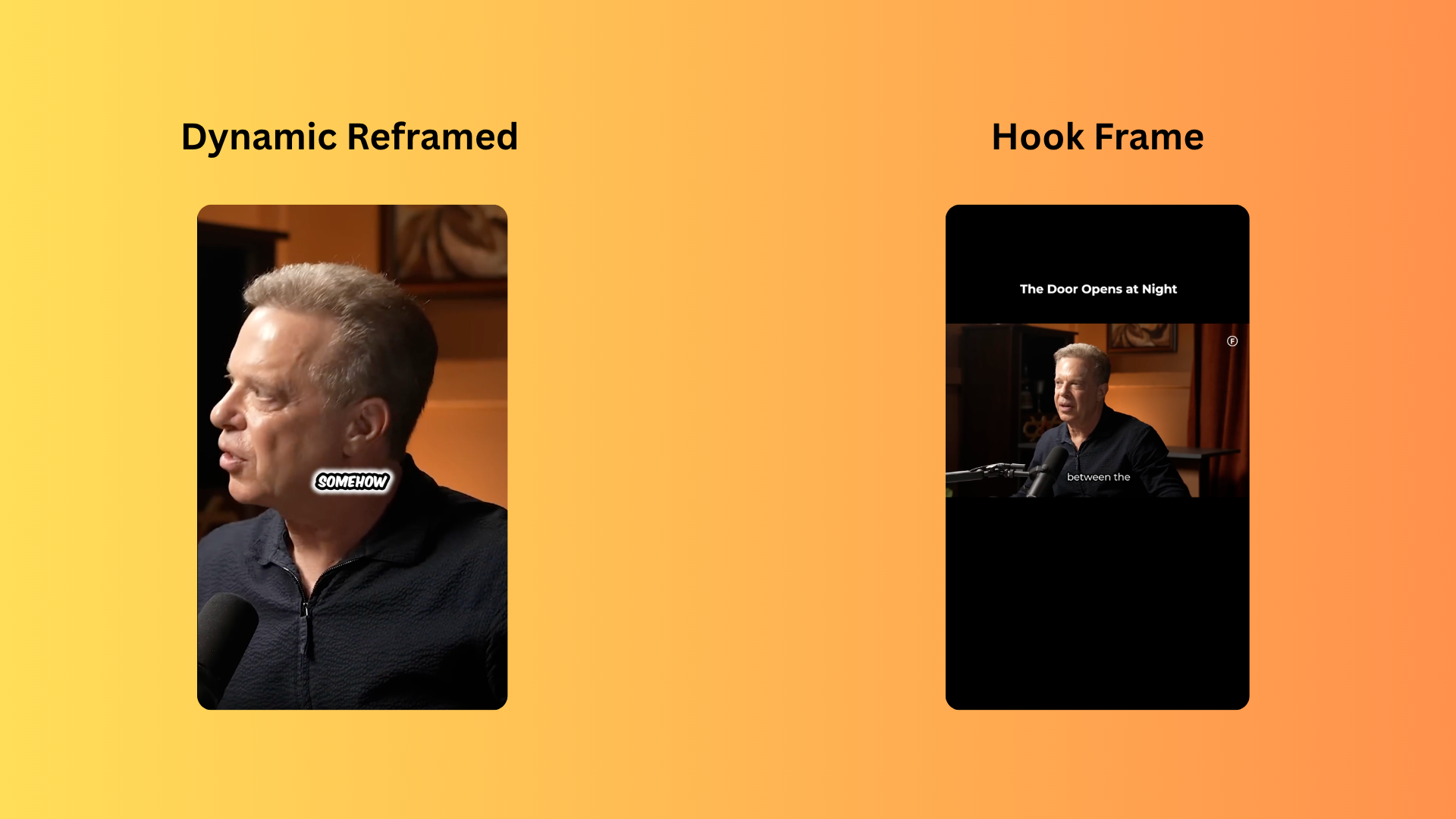
Podcasts often involve multiple speakers, which makes formatting important for short-form content.
Subscut gives you different styles depending on how your podcast is structured:
- A dynamic layout that automatically adjusts framing for conversations (great for interviews and 2-person podcasts)
- A minimal style with a clean background, strong hook text, and captions for storytelling clips
These styles are designed to keep viewers focused and improve watch time, which directly impacts how your clips perform.
4. Generate and download your clips

Within seconds, your clips are ready.
You can preview them, download them, and publish across platforms like TikTok, Instagram Reels, and YouTube Shorts. Many creators also use these clips to drive traffic back to their full podcast or monetize through creator programs like content rewards or whop.
Turn Your Podcast Into a Growth Engine
Podcast growth today isn’t just about publishing episodes—it’s about distribution. The more places your content shows up, the more chances you have to reach new listeners.
Short-form clips are one of the fastest ways to do that.
With Subscut, you don’t have to choose between quality and speed. You can consistently publish engaging clips without spending hours editing, which makes it much easier to stay visible across platforms.
👉 Create your account and start generating podcast clips in minutes
👉 Explore plans starting at just $9/month
The more clips you publish, the more data you get—and the faster you figure out what resonates with your audience 🚀